 Comparisons
sevdesk vs Papierkram: hours or books?
These two get compared constantly although they solve different problems. Papierkram is project- and time-oriented — time tracking and projects are in every plan, including the free one. sevdesk is bookkeeping-oriented and has an Austrian edition. Price barely settles it: billed monthly, the entry plans cost €11.90 (sevdesk) and €15.90 (Papierkram), net.

- Published
- Updated
- Reading time
- 6 min read
On this page
The real difference: hours or books
Comparing these two on price and feature lists misses the one decision that actually matters: do you bill by time spent?
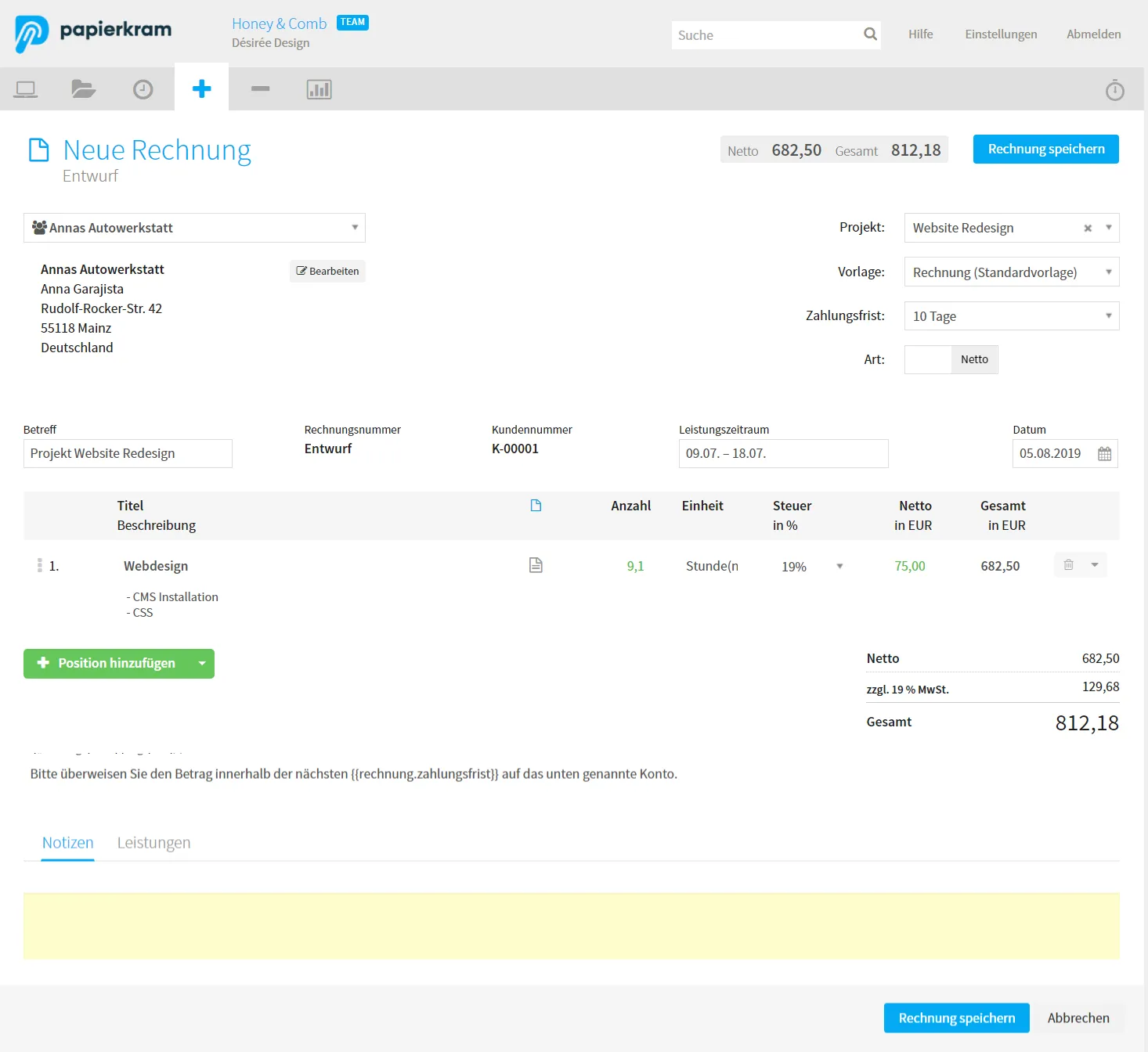
Papierkram includes time tracking and project management in every plan, including the free one. That is not a side feature — it is why the product exists: tracked hours flow into the invoice. For agencies, developers and consultants who think in projects and hourly rates, that is the whole difference.
sevdesk starts somewhere else. It is built as a bookkeeping solution — receipts, EÜR, advance VAT returns — with invoicing as one part of it. Time tracking is a paid add-on at sevdesk (€4.90 a month); projects are not listed in its plan overview.
At a glance
| Papierkram | sevdesk | |
|---|---|---|
| Invoices and e-invoices | Yesevery plan, e-invoices from plan S | Yeseven in the free tier |
| Time tracking | Yesevery plan | Add-on€4.90 / month |
| Projects | Yesevery plan | not stated |
| Payment reminders | Yesplan S and up | Yeslevels from plan Buchhaltung |
| Recurring invoices | Yesplan S and up | Yesplan Buchhaltung |
| Receipts | Yesevery plan | YesAI capture from plan Buchhaltung |
| Bookkeeping in the tool (EÜR, VAT return) | Yesplan S and up | Yesplan Buchhaltung |
| Germany and Austria | partly: VAT return and EÜR follow German rules | Yesown Austrian site |
| An assistant that does the work for you | not listed | help agent Sevi answers questions |
“Not stated” and “not listed” mean the vendor's own pages say nothing about it; we do not guess. Plans and prices are in the detail table below.
In detail
| Papierkram | sevdesk | |
|---|---|---|
| Entry price (net, billed monthly) | €15.90 / month, plan S (€12.90 billed annually) | €11.90 / month, plan Rechnung (€9.90 on 12 months) |
| Free plan | €0 — invoices, quotes, receipts, time tracking, projects | 3 invoices / month; 14-day trial |
| Time tracking | every plan, including free | add-on, €4.90 / month |
| Projects | every plan, including free | not stated |
| Bookkeeping (EÜR) | plan S and up | plan Buchhaltung (€25.90 / month) |
| ELSTER / VAT return | plan S and up | plan Buchhaltung |
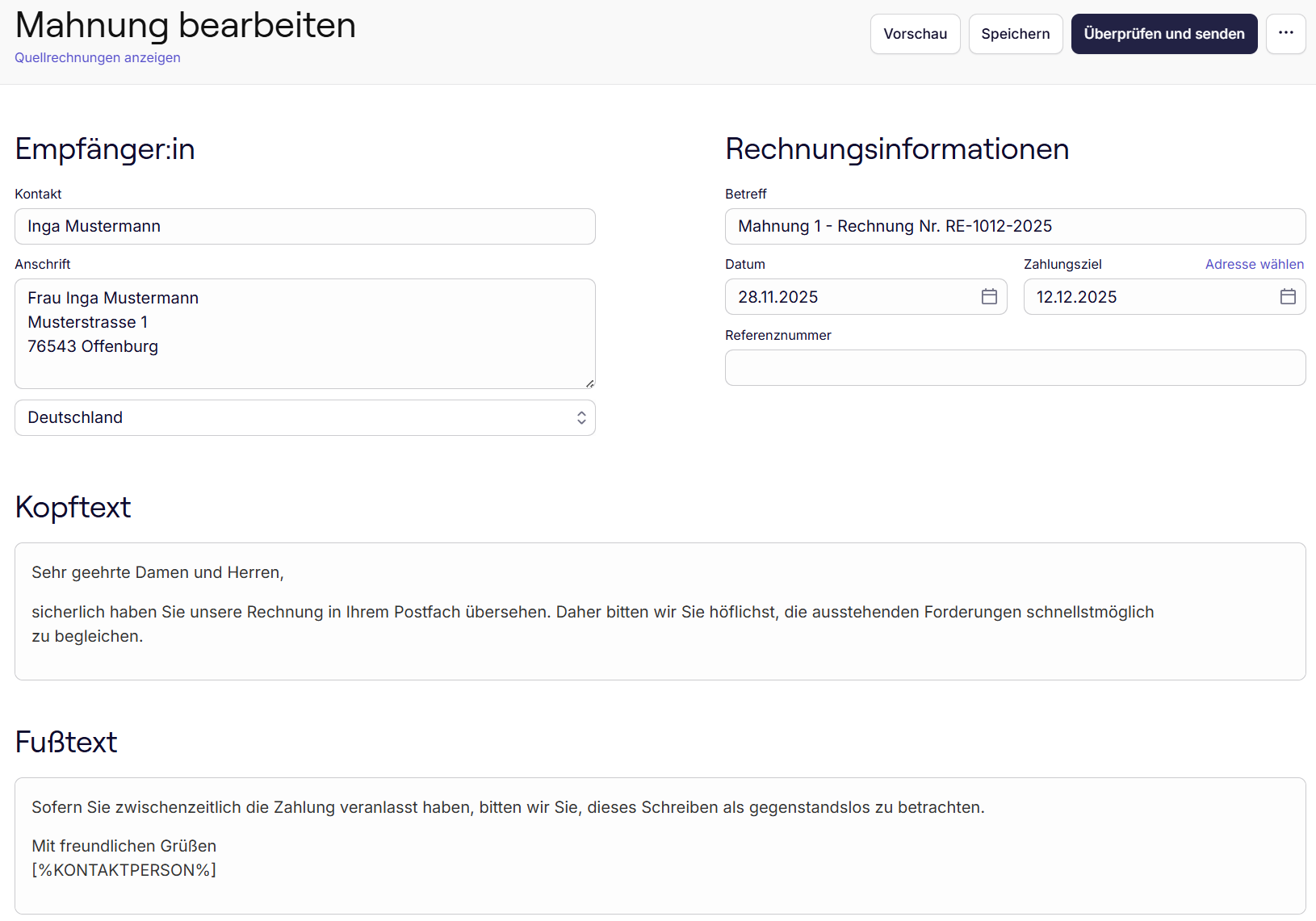
| Payment reminders | plan S and up, one click per notice | reminders in every paid plan, dunning levels from Buchhaltung |
| Recurring invoices | plan S and up | plan Buchhaltung, optionally automatic |
| E-invoicing | plan S and up | even in the free tier |
| Austria | usable, but VAT return and EÜR follow German rules | yes, own Austrian site |
Prices are net, plus VAT, without time-limited discounts. Checked on 6 October 2026 at papierkram.de/preise, sevdesk.de/preise, sevdesk.at/preise and sevdesk.de/rechnungsprogramm.
Which one fits you?
Both are classic bookkeeping programs. Which one suits you depends on how you like to work:
- Papierkram fits if you want one traditional program that does it all in-house, from project hours to the EÜR and the VAT return as an ELSTER file, and you like working through its menus and forms yourself. Best if you invoice in Germany only: its VAT return and EÜR follow German rules.
- sevdesk fits if you want a full bookkeeping suite for Germany or Austria, with receipts, EÜR and VAT return in one place, and you don't mind adding modules such as time tracking as separate paid add-ons.
- Neither is built for you if you just want to tell your AI what to bill, get paid and hand the books to your tax adviser.
That last point is why we build Backbone.
What the workflow looks like
Invoice from hours · Papierkram
Dunning · sevdesk
Backbone, the modern alternative
Backbone is the agentic back office for teams and agents. Backbone is not bookkeeping software, and it doesn't try to be. If you'd rather run your back office from your AI chat, take a look at Backbone.
You don't learn menus. You say what you need: “Invoice Kinetik for September's hours.” “Who still owes me money?” The Backbone assistant does it, in the app or right inside ChatGPT, Claude or other AI apps with MCP support through the connector. Nothing goes out without your OK.
- One calm place instead of a toolbox. Hours, invoices, reminders and receipts live together. No modules to add, no add-ons to price.
- Simple from the first click. No accounting vocabulary, no setup project. Germany and Austria are both built in.
- The admin runs in the background. Reminders go out on the days you choose. Receipts find their payments. At month end your bookkeeper gets one ZIP.
- More time for the actual work. The books stay with your bookkeeper, on purpose. You keep the hours for the work you're paid for.
Coming soon: automatic bank connections, the API, the CLI, a Mac app and Automations for your own scheduled tasks.
Ask Billy about sevdesk vs Papierkram
Ask Billy
Hi, I'm Billy, the friendly ghost in Backbone. Ask me about this topic or how to get it done with Backbone.
Why this one matters to us
My goal is to optimise and automate back-office tasks so that we founders can focus on what matters most.
Automating back-office work with AI agents and AI integrations is the future – that's why I built Backbone!
 LucaFounder, Backbone
How Backbone does it
Invoices done right. In the app, or in a chat with ChatGPT, Claude and many more.
 Create the invoice
Say what goes on it. You approve.
In the chat Write a draft invoice for Studio Nord: brand workshop, 16 hours at €95.
Backbone connectorcreate_documentHere's the draft.
OpenInvoiceStudio Nord GmbH€1,808.80RE-2026-0142 · Issued 18/10/2026Looks good, issue it.
Backbone connectorissue_documentIssued as RE-2026-0142.
In the app  Bill your hours
What you tracked goes on the invoice.
In the chat Which hours are still open for Kinetik Studio?
Backbone connectorlist_unbilled_time- 21–27/09/2026 · Design system · 8.00 h
- 21–27/09/2026 · Website relaunch · 4.50 h
Create a draft invoice and add those hours.
Backbone connectorcreate_documentBackbone connectoradd_time_to_documentHere's the draft.
- Draft · Kinetik Studio · €1,425.00
- 12.5 h at €95.00 · plus 20% VAT
In the app  Switch on dunning
Set it once. Runs by itself.
In the chat Switch on dunning: first reminder after 7 days, then 14 and 28.
Backbone connectorupdate_reminder_settingsAutomatic reminders are on.
- Payment reminder after 7 days
- 1st notice after 14 days
- 2nd notice after 28 days
In the app  Receipts matched automatically
Upload the statement. Clear matches assign themselves.
In the chat Erste_Bank_10-2026.csvHere's the Erste Bank statement for October.
Backbone connectorupload_fileImported. Where receipt and payment clearly match, they're already matched:
- Bürobedarf Lindner KG · 14/10/2026 · −€86.90
- Café Morgenrot · 13/10/2026 · −€23.40
- Fotostudio Weiss · 09/10/2026 · −€350.00
- Druckerei Nordwerk GmbH · 02/10/2026 · −€149.00
In the app - Off to your bookkeeper
Month complete. One link, done.
In the chat Send October to my tax adviser.
Backbone connectorsend_to_bookkeeperSend to bookkeeper- To
- Kanzlei Rehm & Partner[email protected]
- Period
- October 2026
- Contents
- 48 receipts · 2 statements
In the app - E-invoices per client
Pick the format once. Every invoice follows.
In the chat Studio Nord wants e-invoices in ZUGFeRD format from now on.
Backbone connectorupdate_clientDone. Invoices to Studio Nord now come as ZUGFeRD.
- Studio Nord GmbH · E-invoice format: ZUGFeRD
In the app - Track your time
One sentence in the chat. The hours are in your week.
In the chat Log 3:15 hours for Kinetik Studio, website relaunch: homepage wireframes, round two.
Backbone connectorlog_timeLogged.
- Sun 27/09/2026 · Kinetik Studio · Website relaunch · 3:15 h
- Homepage wireframes, round two
In the app
Try 7 days
Say it in your AI chat. Backbone does the rest, you approve.
You pay €0.00 today. 7-day trial, card required, cancel monthly
General information, not legal or tax advice and no review of your case. Details on providers and laws can change. For your case, follow your tax adviser.
Sources: papierkram.de · sevdesk.de · sevdesk.at